Use remote-cloudflare-kv on Vercel
May 28, 20232.045 blog.post.readingTime409 blog.post.words
#cloudflare#full-stack#open-source
blog.post.otherLanguageHintblog.notFound.switchToChinese
May 28, 20232 min read409 wordstech
#cloudflare#full-stack#open-source
Note: This article has an English versionSwitch to Chinese
AI 摘要
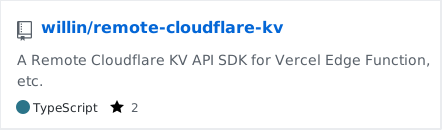
https://github.com/willin/remote-cloudflare-kv
remote-cloudflare-kv



Setup
bashnpm install --save remote-cloudflare-kv
# or
yarn add remote-cloudflare-kv
# or
pnpm install --save remote-cloudflare-kv
Usage
Init
tsimport CloudflareKV from 'remote-cloudflare-kv';

export const NAMESPACE = new CloudflareKV({
  account_id: process.env.CF_ACCOUNT_ID || '',
  namespace_id: process.env.CF_NAMESPACE_ID || '',
  // use bearer token
  api_token: process.env.CF_API_TOKEN || '',
  // or use email & api key
  api_email: '',
  api_key: ''
});
Writing key-value pairs
To create a new key-value pair, or to update the value for a particular key, call the put method on any namespace you have bound to your script. The basic form of this method looks like this:
tsawait NAMESPACE.put(key, value);
// void
Expiring keys:
tsawait NAMESPACE.put(key, value, { expiration: secondsSinceEpoch });

await NAMESPACE.put(key, value, { expirationTtl: secondsFromNow });
Metadata:
tsawait NAMESPACE.put(key, value, {
  metadata: { someMetadataKey: 'someMetadataValue' }
});
Get key-value pair
To get the value for a given key, you can call the get method on any namespace you have bound to your script:
ts// replace key & type
const result = await NAMESPACE.get('key', { type: 'json' });
console.log(result);
// {"hello": 1}
Supported types: text, json, arrayBuffer, stream.
Normalises type, ignoring cacheTtl as there is only one "edge location": the user's computer
Get key-value pair with Metadata
You can get the metadata associated with a key-value pair alongside its value by calling the getWithMetadata method on a namespace you have bound in your script:
tsconst result = await NAMESPACE.getWithMetadata(key, { type: 'json' });
//  {"value": {"hello": 1}, "metadata": {"someKey": "someVal"}}
Deleting key-value pairs
To delete a key-value pair, call the delete method on any namespace you have bound to your script:
tsawait NAMESPACE.delete(key);
// void
Listing keys
You can use a list operation to see all of the keys that live in a given namespace.
tsconst result = await NAMESPACE.list();
console.log(result);
More detail:
The list method has this signature (in TypeScript):
tsawait NAMESPACE.list({ prefix: string, limit: number, cursor: string });
The list method returns a promise which resolves with an object that looks like this:
json{
  "keys": [
    {
      "name": "foo",
      "expiration": 1234,
      "metadata": { "someMetadataKey": "someMetadataValue" }
    }
  ],
  "list_complete": false,
  "cursor": "6Ck1la0VxJ0djhidm1MdX2FyD"
}
Refs
- Runtime API: https://developers.cloudflare.com/workers/runtime-apis/kv/
- RESTful API: https://developers.cloudflare.com/api/operations/workers-kv-namespace-list-namespaces
Sponsor
Donation ways:
- Github: https://github.com/sponsors/willin
- Paypal: https://paypal.me/willinwang
- Alipay or Wechat Pay: QRCode
